Scheduling
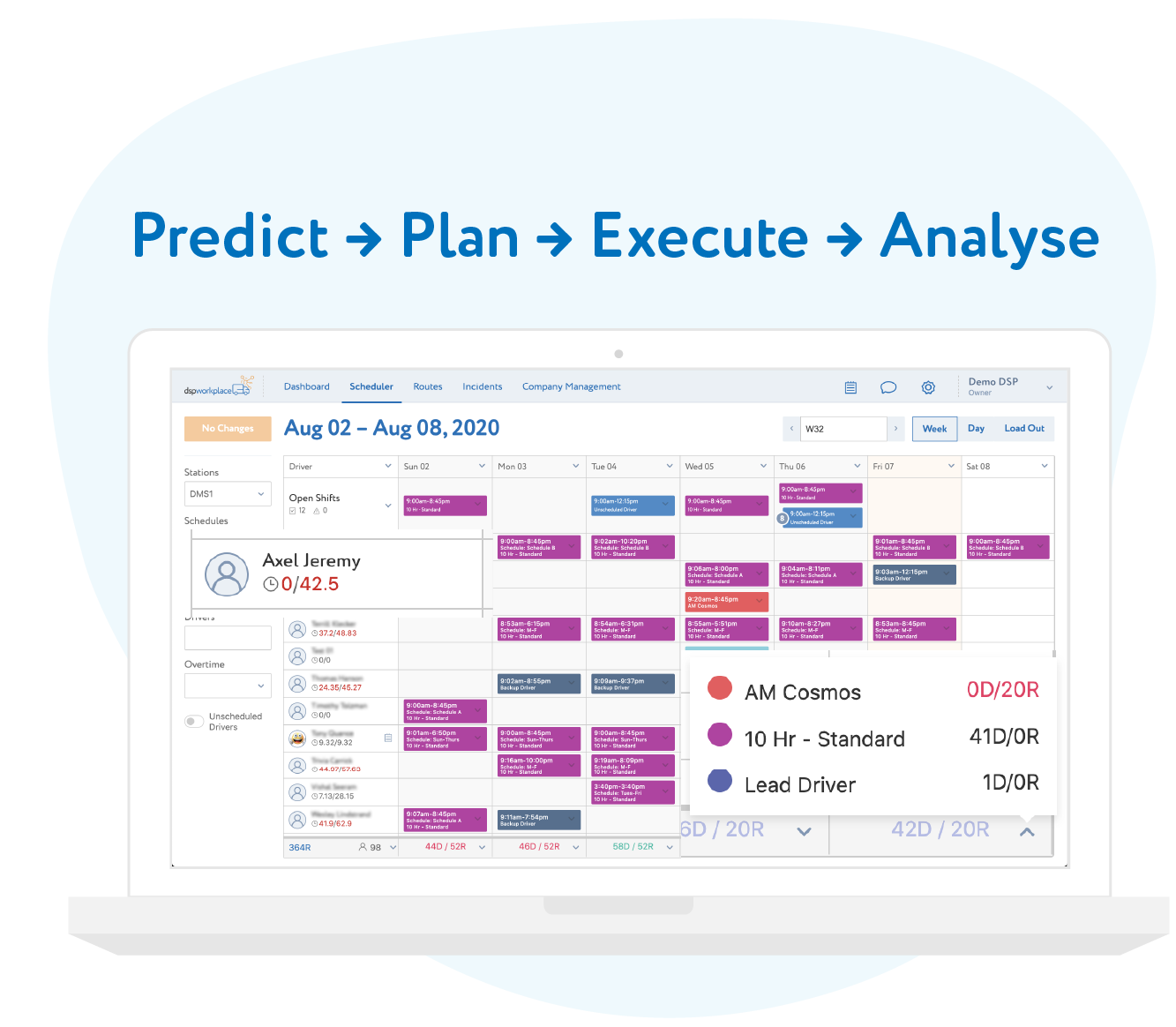
1Complete Scheduler with DSP-specific Reporting
Industry standard scheduling tools with specific functions only a DSP needs, not to mention built in reports, ready to go.
2Route Coverage
Use our balance group views to locate your coverage gaps.
3Manage your Overtime
See and fix your overtime issues before they happen. Our intuitive UI will show you the risks and remind you if you are putting a driver at risk of overtime before you schedule her.
Workflow Tools
1On-time Dispatch of your Team
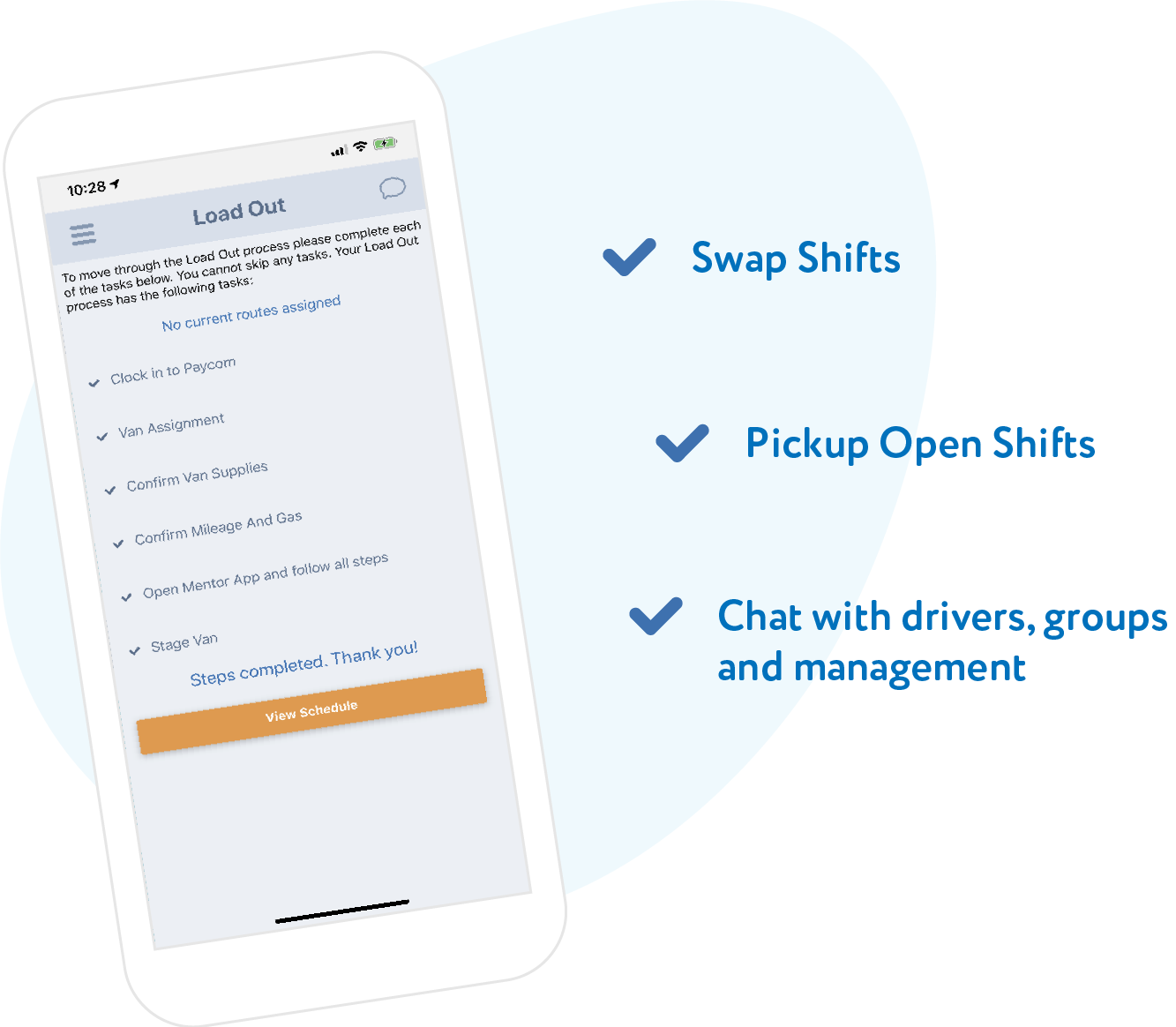
Use our load out and RTS module to help train and manage drivers through these ever changing processes.
2dspworkplace workbot
Let our workbot shepherd tasks throughout your organization to make sure the little things are done every time.
3More Complicated Workflows
Our Incidents page will allow you to manage DSP specific processes and assign their tasks to anyone in your organization.
Mobile APP
1Integrated Chat
Reduce the number of applications your drivers need to use on a daily basis.
2Online Schedule
Allow your drivers to see their assigned schedule real-time and communicate with their supervisor.
3Let Drivers Self-Serve
Drivers can view and pick up open shifts as well as arrange to swap a shift with another driver - all with their supervisor’s approval, of course.
Compare dspworkplace
We figured you would ask, so we put together this comparison table.
Free Competitor

Build Schedules with Multiple types of Shifts
Schedule based on weekly Patterns
Drivers can see their Schedule via mobile App
Ability for drivers to pick up open shifts
Bulk Driver Scheduling
Planned
Labor Planning Tools
Planned
Ability to create re-occurring, auto-publishing schedules
Ability for drivers to swap shifts
Detailed Reporting
Fully Integrated Chat capable of SMS messaging and routing workflows
Workflow tools to track Call-ins and NCNS
Track daily device and vehicle assignments by route by driver
Export your data anytime and take it with you
More Features
Time Tracking
2 Geo-Fences
Track the times of ins and outs of both the parking lot and the station geo-fences.
Incident Time and Location
Know when and where one of our Incident forms were opened by a driver.
Inventory Timelines
Keep track of when each van and device were used in our timelines.
Live Chat
Leverage Integration for better Communication
Track the times of ins and outs of both the parking lot and the station geo-fences.
Share more than just Text
Send or share documents, pictures and URLs in the interface.
Dynamic Station Membership
No need to maintain this list anymore. If they are an active employee assigned to your station, they are automatically members of the station chat list.
Inventory Tracking
Mobile Phone
Track your mobile devices and their condition.
Fleet
Track owned, leased, and rented vehicles. View timelines, condition, and lease info all in one place.
Who used it last?
Track who last used your devices and vehicles and when in our timelines.
Coming Soon
HRIS
Onboarding Tools
Beautiful, simple, mobile enabled. Soup to nuts. Why make it complicated?
More Workflows
Manage and report on not just the onboarding process, but concessions, reviews, disciplinary action and especially your employee successes.
Payroll Provider Integration
Once hired, have all of the data you just gathered automatically flow into your payroll provider.
Bulletin Board
Post morning messages
on our mobile app, with the option to require driver acknowledgement for important announcements. Incorporate photos and video content.
Use our templates to build culture
including safety and education, team awards, weather or road conditions and more.
Schedule recurring messages
and save content to use at a later date.
Fleet Management Module
Mileage Based Maintenance Tracking
Have our workbot watch for oil changes and more based on the mileage being logged daily and using settings of your choice.
Vehicle Document Storage
Store any vehicle related document in our attached repository, including the DOT equipment file.
Automated Vendor Communication
Track your preferred vendors and notify them when you have required work and even track communications as a part of the vehicle record.
Frequent Asked Questions
Is there any setup costs?
Not really. We give you the option for a free templated set up to show you how best to run our tools. We also provide you with upload tools to easily add your employees, devices and vehicles. That said, if you would like more help, you can talk to our sales team about getting some additional help from our experts in professional services.
Can I change my subscription anytime?
You sure can. We understand the challenges of changing ramp plans during Peak, Prime Week, and other key points throughout the year. Stripe will adjust your subscription accordingly by simply charging you for the average number of active employees in your account per month. Let our sales team know if you have any concerns.
What happens after my 30 days trial?
If you want to cancel at the end of the 30 days, contact sales@dspworkplace.com - but we hope you'll never decide to leave. For those that stay, you will simply be charged at the end of the first month for the next 30 days of the software use.
Is there any discounts for yearly payments?
If you prefer to pay annually, please contact our sales team at sales@dspworkplace.com for a quote.
How can I pay for the system?
Our payments are processed by our secure payment partner Stripe, which offers both credit card and ACH transactions options.
Can I cancel anytime?
No, you are trapped forever! Joking, of course you can. We’ll be sad to see you go, but just reach out to us to start the process.